

Yes, iSync has been with us for few years now. It should be rock solid. It’s not – yet. I recently wrote about my impressions of data detectors. Not rocket science,  but a small and powerful addition to useful workflow on a Mac. That they also remind me of the promise that was the Newton makes them all the more welcome. But what can I say about iSync? One of the things that makes OSX such a compelling choice for day to day computing is the consistency of interface between applications and their ability to share information…not just data, but contexts and preferences and thus recognition and adaptability to user peculiarities that anthropomophise the laptop. The computer becomes somehow just something a little more. A trusted companion – not merely a clone of millions of other identical collections of aluminum, silicon and other substances.
When I was gifted an older PowerBook a few months ago and rediscovered OSX for everyday computing, I was delighted to discover just how much the OS had matured and been refined since its repackaging from NextSTEP. There are a plethora of creatively conceived ‘little’ apps available that marry ingenuity, creativity, beauty of execution and most importantly work seamlessly with other applications within a cohesive workflow/space.
iSync is one of the more in your face ways that this magic happens. When it works, its great and don’t get me wrong, iSync is very right. It has the modularity to recognize disparate logical devices and somehow draw them into this cohesive environment. But it doesn’t always seem to be able to fulfill this Herculean task.
I use iSync to carry out a few crucial tasks:
Synchronize information with my Sony Ericsson W580i cell phone
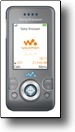 I located an iSync drive for the phone at www.mroach.com. I installed the driver, completed the wizard that led me through a series of steps to determine what sort of information I wanted to share and in what way. I saved the profile and whenever I click the brushed aluminum iSync button on my dock, the magic happens. Bluetooth communication is initiated and iSync always seems to work.
User story on getting the data to the Mac in the first place:
I should mention that iSync was particularly valuable in populating my personal contact and scheduling information to the Mac in the first place. With all of my data nicely ensconced in Outlook on the PC, it seemed destined to stay there. I exported a CSV file to import into Address Book on the Mac claimed it could handle csv files. After a couple hours of abortive experiences, I gave up on that approach. Some googling soon determined that there were issues with this process, but that there was a paid program that would allow you to export the data from Outlook in a more useful manner. But, a substantial cost for a one-time operation. Another solution was to try and sync the Outlook data with Google Calendar and Contacts and then sync from the OSX side. Again, probably works, but only with paid solutions. Being habitually parsimonious, I was determined to find a better way and this is where a clever iSync solution emerged. The intermediary was my Palm TX. It has languished lately as I have been laptop focussed. It used to be sync’d daily with Outlook using KeySuite, but it has lately been used for a particularly addictive little game that is useful when sitting waiting for an appointment or other short delays. I reinstalled KeySuite and sync’d to the Palm. I then installed the Palm Desktop software on the Mac, went into the prefs and enabled iSync support so that data could flow to other Mac apps. Success! All of my contacts and appointments appeared in iCal and Address Book after a suitable amount of waiting. Moreover, this was all accomplished via Bluetooth and wirelessly. The only caveat is that I was not able to carry over all my meticulously applies categorization, but it gave me a start. Most importantly, iSync does so a good job of syncing that information go forward.
I give iSync top marks or this. There are drivers for so many mobile devices (most user contributed) that this mobile sync is very practical and efficient.
Synchronize Information Between the iMac and Laptop

Syncing information between machines is handled right through the Mac OS. In the System preferences, Apple likes to drive you to use their .Mac service – and syncing I will admit is a useful way to drive people to use .Mac. While it doesn’t handle file syncing per se, I use FolderShare for this, what this syncing tries to do is give you a seamless work environment regardless of which Mac you find yourself using. So a laptops contacts, schedules, preferences, web bookmarks, and widgets are kept synchronized between machines. You set the schedule in the prefs panel (how often and what you want to synchronize) and iSync via .Mac does the rest. This system largely works, and apart of schedules that inadvertently use different timezones, you are rarely presented with any decisions or even notifications that the sync happens. It just does. This works well.
Again I tip my hat to the efficient integration of data through iSync.
Synchronize between OSX Applications


Here is where it all comes together. Basic productivity for me steps beyond just straight word processing in Word or Pages or number crunching in Excel or Numbers. I use a GTD app to track my tasks. I have been using iGTD and experimenting with others, such as OmniFocus or Things. I have been doing focussed research writing in Scrivener. I am online most of the time and flit between online web services and local apps. As it turns out the best way for third party developers to share information is via iSync.
This is where things start to get a little less smooth. The building blocks are in place, but unlike the user interface, where there is a nice toolbox to enforce some consistency, at a data level, there is ironically much more latitude for each developer to decide they have a better way and to implement such. This doesn’t absolve Apple of some complicity in this same hubris. Applications like Address Book are built up from very simple underpinnings, going back to NextSTEP days, but they have subsequently been tailored to an Apple defined lifestyle focus. It’s the ‘i’ thing. It’s really not a business focus, that’s for sure. Address Book has to work with other apps to mange contacts for business use. Otherwise you end up populating the notes field with all sorts of crucial, but undefined pieces of information. Information that very quickly turns Address Book into an isolated silo as there is no way to deal with the Notes field as anything other than a blob. Information there is committed to a black hole. Searchable via Address Book search and Spotlight, but not addressable by other apps that may be able to use it. So when you actually go to invoke iSync prefs in an application that is aware, you wade into undefined territory. Too much latitude? At this stage, iSync has no real way to compare apples with oranges, but it tries. I guess I can’t blame ‘it’ for doing so. The problem you run into is that it does tend to assume some data conformity and receiving apps such as iCal receive the information assuming the same data conformity.
 iCal is an application in need of some real love right. I don’t think there is any real way to excuse its state right now either. For the past couple of months, it has been crashing with some regularity and presenting me with the Apple requests for more information about what went wrong. I actually was filling these things in. I now have this vision of Apple employees actually filtering these for those gullible enough to waste time submitting these and chuckling at the most earnest and honest explanations. Because it is such a solitary experience (Apple thanks you for this, but doesn’t suggest a link to a problem that sounds familiar in their knowledge database – as Microsoft does – better than Apple here!) I actually wrote a final piece suggesting what they could do with their app and all the bug reports I was filing. Great promise, but sadly broken.
In the end, I started out with this piece to rant a little and relieve frustration over slow syncs and broken dreams 😉 but I have to admit that data synchronization actually works very well in this environment – it’s just at a nascent stage. There’s much work to be done, but the promise is evident and temporary frustration is alleviated by appreciating where this is all going. The dream of conformal computing where the device learns about you and adapts to your needs. Adapting to your peculiarities and yet meeting needs that emerge from your use, not from the developer’s tremendous foresight. This either goes all to HAL…ha, ha, ha, or to back to the golden age of 1984 (the Apple version) where we do actually experience a computer for the rest of us, and if they are so smart, why don’t they learn about how we work, rather than subjecting us to adapt to their way of doing things.
it it interesting that irish & ireland never appear on your heat map. Especially odd since an important day (no pun intended) is fast approaching.